
September 9, 2026
Bambu Lab A1 mini or A1: Which Printer to Start a Print Shop With
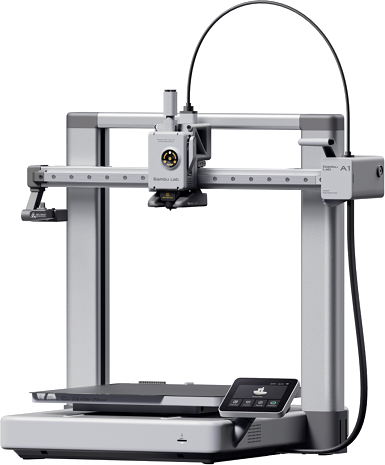
The A1 mini and A1 are Bambu Lab's two most affordable models, both open-frame, both sharing the same AMS ecosystem and slicer. The price gap between them is small, but the A1's bed is almost twice as large on every side. Here's when that gap is worth paying up front, and when it isn't.
Build volume: more than double, not just bigger
180 × 180 × 180 mm on the A1 mini versus 256 × 256 × 256 mm on the A1 looks like a modest difference at first glance, but in terms of actual build volume (a cube scales with the side length), the A1 fits almost 2.9x more than the A1 mini. In practice, that's the difference between "miniatures and small decor" and "an electronics enclosure, a larger functional part, or several small parts in one print cycle."
Power draw
| Bambu Lab A1 mini | Bambu Lab A1 | |
|---|---|---|
| Build volume | 180 × 180 × 180 mm | 256 × 256 × 256 mm |
| Price | ~$299 | ~$399 |
| Power draw (printing) | ~57 W | ~65-95 W |
| Power draw (idle) | ~6 W | ~5-8 W |
| Frame | open | open |
The A1 mini is noticeably more efficient — almost 1.5x lower average power draw while printing. With a printer running for hours every day in a shop, that difference adds up over a month, especially for materials that need long print times in small batches.
Which one to start with
If you're just launching a shop and your main order flow is miniatures, keychains, small functional decor, or jewelry, the A1 mini covers 80% of typical orders with the lowest upfront cost and a lower electricity bill. The savings on the printer itself, plus lower power draw, is a real difference when every dollar of startup budget counts.
If you can already see larger one-off models, enclosures, boxes, or batches of parts bigger than 180 mm coming in, get the A1 from the start — the extra cost upfront is cheaper than buying a second printer a few months later for orders that simply didn't fit the A1 mini.
A pattern that works well for a lot of shops: start with the A1 mini as your first printer for the lowest entry cost, then add an A1 alongside it — not instead of it — once order volume grows, so small and large orders can run in parallel on two beds instead of queuing on one.
Work out how many orders it takes to cover that price difference at your actual prices and volumes.
Calculate your price in a minute
Free calculator: part weight, print time, material price — no sign-up needed.
 App Store
 Google Play
 RuStore
Full breakdowns with power-consumption sources: Bambu Lab A1, Bambu Lab A1 mini.
Photo: official Bambu Lab product image (bambulab.com).
Sources: Bambu Lab A1 — Technical Specifications, Bambu Lab A1 mini — Technical Specifications.