
September 9, 2026
Bambu Lab P1S vs P2S: Key Differences, Price, and Which to Buy
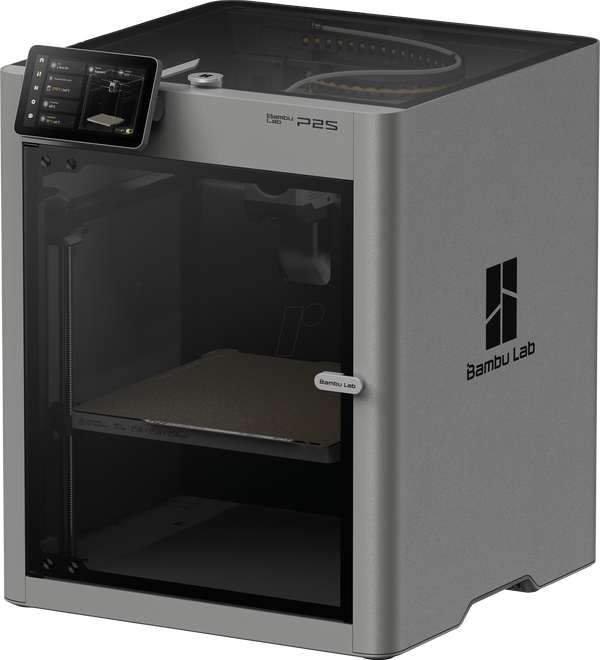
The P2S is the direct successor to the P1S in Bambu Lab's lineup, and Bambu Lab has been explicit that it will keep selling and supporting the P1S alongside the new model. Build volume and overall layout haven't changed, so the "which one" question isn't about specs on paper — it's about how much the P2S's specific upgrades actually matter for your order flow.
What stayed the same
Both machines share the same 256 × 256 × 256 mm build volume and a fully enclosed, actively cooled chamber. If the P1S's volume already covers your work, the upgrade won't buy you more bed space — this is a comparison about reliability, speed, and day-to-day handling, not print size.
Extruder and print speed
The headline hardware change is the new DynaSense extruder, a PMSM servo system that delivers roughly 70% more extrusion force than the P1S's extruder and compensates flow more precisely at high speed — fewer blobs, cleaner corners when printing fast. Rated top speed climbed from 500 to 600 mm/s at the same 20,000 mm/s² acceleration (in practice, real print speed is still bounded by slicer settings and model geometry, not the rated maximum).
The P2S also gets a quick-swap hotend on a single clip, shared with the A1 and H2 lines — swapping or clearing a clogged nozzle takes noticeably less time than disassembling the P1S hotend.
Bed, noise, and interface
The P2S heatbed goes up to 110°C versus 100°C on the P1S — a modest but useful headroom for ABS/ASA, where a slightly under-heated plate is a common cause of corner lifting. Independent measurements (see the lava3dp comparison in sources) put the P2S noticeably quieter, at around 52 dB versus roughly 60 dB for the P1S.
The P2S's touchscreen and firmware run a new, faster second-generation UI — more responsive menus, clearer print status. It also catches failures earlier: spaghetti prints, first-layer issues, and a missing build plate get flagged and paused sooner, before the model wastes half a spool.
AMS and multi-material printing
The P2S Combo ships with the newer AMS 2 Pro, which handles color switching more reliably and with fewer failed swaps than the AMS paired with the P1S. If your order flow includes a lot of multi-color AMS work, this is a practical difference you'll notice, not just a spec-sheet line.
Price and which one makes sense for a print shop
| Bambu Lab P1S | Bambu Lab P2S | |
|---|---|---|
| Build volume | 256 × 256 × 256 mm | 256 × 256 × 256 mm |
| Price (base) | ~$499 | ~$549 |
| Price (Combo with AMS) | — | ~$799 |
| Max bed temperature | 100°C | 110°C |
| Extruder | standard | DynaSense (PMSM, +70% force) |
| Hotend swap | standard teardown | quick-swap (single clip) |
| Noise (independent measurements) | ~60 dB | ~52 dB |
Bambu Lab hasn't published an official average power draw for the P2S yet — Bambu Lab forum threads mention noticeably higher current draw than the P1S, but without a clear rated average wattage. Until official numbers land, it's safer to budget your cost calculator using the P1S's documented figure (~100 W average while printing) as a conservative estimate rather than underestimate it.
If you're already running a P1S without complaints, swapping it for a P2S just for the quieter operation or the slightly higher bed temperature usually doesn't pay for itself. But when buying a printer from scratch for a shop with heavy multi-color AMS work, or where noise in the room genuinely matters (a coworking space, a home office), the P2S is the safer default pick.
Before deciding, work out how many orders it would take to cover the price difference at your actual print volumes and material costs.
Calculate your price in a minute
Free calculator: part weight, print time, material price — no sign-up needed.
 App Store
 Google Play
 RuStore
For a full breakdown of the P1S, with power-consumption sources, see Bambu Lab P1S.
Photo: official Bambu Lab product image (bambulab.com).
Sources: Bambu Lab P2S — Technical Specifications, Bambu Lab P1S vs P2S: Full Comparison & Upgrade Guide (lava3dp.com), Bambu P2S Details Are Here (Hackster.io).