
July 2, 2026
How Much Electricity Does a 3D Printer Use?
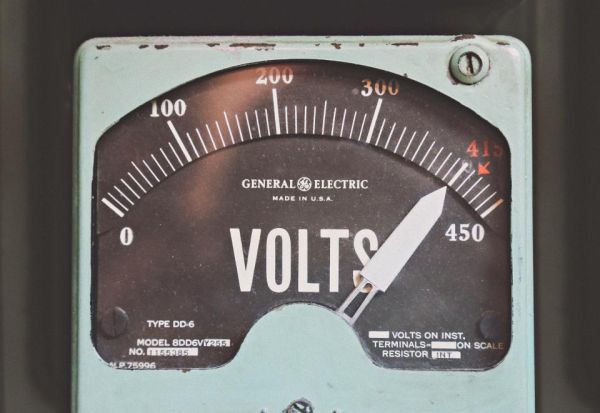
Electricity is rarely the biggest line item in your cost — material and printer depreciation usually weigh more. But on long prints (24 hours or more) or with high electricity rates, the bill becomes noticeable, and it's not something to round down to zero "by feel."
What the printer actually draws
Printer power isn't a constant — it differs while the bed/hotend are heating up versus during steady-state printing. Manufacturers usually list the rated power supply wattage — that's a ceiling, not an average. For practical pricing purposes it's easier to just use that number: it gives a small safety margin, which is safer than undercharging.
SLA printers add the UV curing array's draw, and post-processing stations add their own heating/ultrasonic module power.
Power draw of popular models
Ballpark figures for pricing purposes:
- Bambu Lab A1 mini: ~57 W while printing, ~6 W idle — the most efficient model in the lineup.
- Bambu Lab A1: ~65-95 W while printing, ~5-8 W idle — same open-frame class, larger bed.
- Bambu Lab P1S: ~100 W while printing — enclosed chamber with active cooling.
- Bambu Lab X1 Carbon: 150–200 W at steady state, spiking to 400 W during heat-up.
If your model isn't listed, the power supply's rated wattage from the manufacturer's spec sheet is a safe stand-in (see above).
The formula
Electricity cost = power (kW) × print time (h) × tariff (currency/kWh)
Power is usually listed in watts in the spec sheet — convert to kilowatts by dividing by 1000.
Example
A printer rated at 200 W prints for 14 hours, tariff $0.14/kWh:
0.2 × 14 × 0.14 = $0.39
If you're running a filament dryer alongside the print, its power draw is calculated the same way and added on top.
You don't have to run this math by hand every time: the free electricity cost calculator already has this formula built in — enter your printer's wattage, print time, and tariff, and it gives you the cost per part and per hour instantly, no signup required.
Time-of-use rates
Many regions have peak/off-peak electricity pricing. If a print spans both windows — and long prints almost always do — the correct approach is splitting hours by rate window, not averaging across one flat rate:
Cost = power × (peak_hours × peak_rate + off_peak_hours × off_peak_rate)
This is exactly how electricity is calculated in 3D Print Pricing — set up both rates once for your printer, and the calculator splits print time between them automatically.
Calculate your price in a minute
Free calculator: part weight, print time, material price — no sign-up needed.
 App Store
 Google Play
 RuStore
Why it's still worth calculating honestly
A ten-cent difference on a single part looks trivial, but printing at volume over a month it's real money — money that either stays in your margin or quietly leaks out, especially if several printers plus a dryer are running continuously.