
August 1, 2026
AMS Purge Waste: How Much Filament Multi-Color Prints Actually Waste
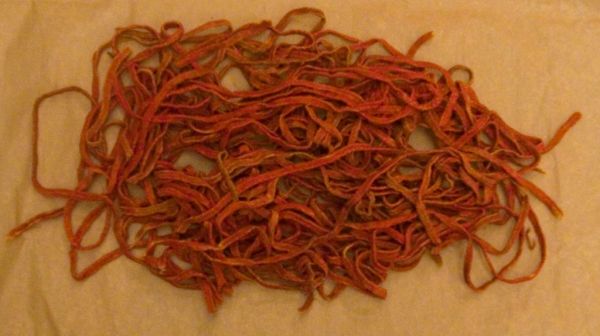
Every AMS user runs into this sooner or later: the print finishes, and the waste chute (or purge tower) has more plastic in it than the part itself looks like it should have used. That's not a fluke — on multi-color prints, purge from color changes is a real, recurring cost line, and it's one of the most common complaints in Bambu Lab and multi-material communities for a reason.
Where the waste actually comes from
Every time the printer switches from one filament to another, the old color has to be pushed out of the hotend and replaced with the new one before it can print cleanly — otherwise you get streaking and color bleed for the first several millimeters of the new color. That flush is purged somewhere: a purge tower next to the model, or straight into the AMS waste chute on newer firmware/slicer setups.
Each individual color change costs on the order of a few grams of filament and tens of seconds of time. That sounds small in isolation. It isn't small once you multiply it by the number of color changes in a real multi-color model — a moderately detailed model with four colors can easily rack up dozens of changes across its layers, not just four.
How big is it really
Community-reported figures vary by model complexity, but purge waste running roughly 15-25% of total filament used on complex multi-color prints is a commonly cited range — and it can go higher on models with frequent, fine-grained color transitions (thin bands of color repeated every few layers, for example).
Put in concrete terms: if the visible, printed part of a model consumes 30g of filament, purge on a color-heavy version of that same model can add a comparable amount on top of it — sometimes more — in a bad case. That's not overhead you can round to zero. It's a second material line that scales with the number of color changes, not with the size of the part.
A few things that make purge worse:
- More colors — more transitions, more purge events, roughly linearly.
- Fine color detail — logos, gradients, and thin multi-color bands force frequent switching even on a small model.
- Filament-to-filament contrast — going from a dark color to white (or vice versa) typically needs a larger flush to fully clear the old color than switching between two similar shades.
Cutting it down (without turning this into a tutorial)
This isn't the place for a full settings walkthrough, but it's worth knowing the levers exist:
- Flushing volume tuning. Bambu Studio (and similar slicers) let you tune per-color-pair flush volumes instead of using one conservative default for every transition — same-shade transitions can usually get away with a much smaller purge than dark-to-light ones.
- Using the model itself as a purge target. Directing purge into infill, a sacrificial support structure, or an object's interior instead of a separate purge tower recovers some of that plastic as structural material rather than pure waste.
- Fewer, larger color regions. A design with big color blocks instead of many small alternating ones needs far fewer transitions for the same visual result.
None of these eliminate purge waste, but a well-tuned profile can meaningfully cut it from the higher end of that 15-25% range toward the lower end.
Pricing it correctly
The mistake is treating purge as invisible overhead that just gets absorbed into margin. It shouldn't be — it's real filament, bought at the same price per gram as the filament that ends up in the part, and it needs to show up in the quote before you print, not get discovered afterward when the spool runs out sooner than expected.
The practical fix is simple: price the job on actual consumed filament, not just the model's sliced weight as shown in the slicer's "estimated material" field for the visible part. If your slicer or print log shows total filament consumed per color (including purge), use that number for costing. If it doesn't, budget a purge percentage on top of the sliced weight for multi-color jobs — informed by your own AMS waste chute weighings on similar jobs, since the exact percentage depends heavily on how many colors and transitions a given model has.
Calculate your price in a minute
Free calculator: part weight, print time, material price — no sign-up needed.
 App Store
 Google Play
 RuStore
This is exactly the gap a materials line that tracks real consumption — not just the model's nominal weight — is meant to close: a multi-color job priced only on the printed part's weight is quietly underpriced by whatever the purge tower or waste chute is holding.
Bottom line
Purge waste on multi-color prints is not a rounding error — on complex jobs it can be a fifth or more of total filament used, sometimes rivaling the weight of the part itself. Tune flush volumes and purge targets to bring it down where you can, but budget the rest as material cost, not free overhead. Weigh a few of your own multi-color jobs' waste chutes once to get a realistic percentage for your typical model complexity, then bake that into every multi-color quote going forward.