
July 4, 2026
Bambu Lab AMS Explained: What It Is and Which Version You Need
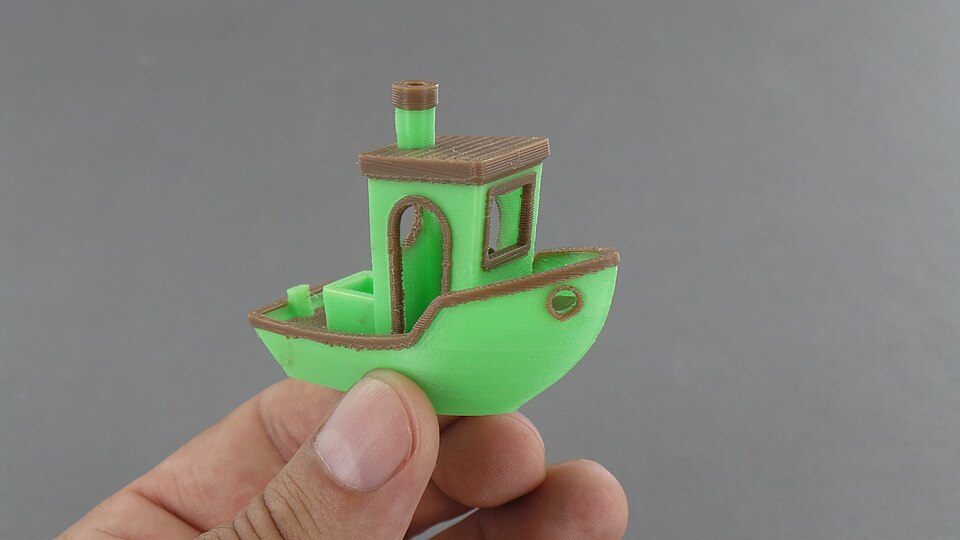
AMS (Automatic Material System) is Bambu Lab's proprietary system for automatically swapping filament mid-print. It's what lets a printer produce multi-color models without a single manual pause to change spools.
What does AMS mean in 3D printing?
AMS stands for Automatic Material System — Bambu Lab's term for the external unit that holds multiple spools and feeds whichever one the current layer needs, automatically. In practical terms, "AMS" on a Bambu Lab printer means multi-color and multi-material printing without an operator standing by to swap filament by hand.
What is an AMS system? How it works
An AMS system is a unit with several spool slots (usually four) that feeds the right filament into the printer on command from the slicer. The printer determines which color or material is needed at a given moment in the print, and the AMS switches the feed — no manual intervention needed, even if the model uses four or more colors.
AMS versions
| Model | What's different |
|---|---|
| AMS (base) | 4 slots, no drying, for standard P1/X1 printers |
| AMS Lite | simplified version for A1/A1 mini, open design |
| AMS 2 Pro | adds built-in filament drying — relevant for hygroscopic materials (nylon, PETG after long storage) |
| AMS HT (High Temperature) | built for engineering plastics with high print temperatures, for the H2 line |
Which version ships with which printer (P1, X1, A1, A1 mini, H2) is listed model by model in the 3D printer database, alongside build volume and other specs.
What it's good for in practice
- Multi-color and multi-material printing without stopping the printer — a 4-color model prints as autonomously as a single-color one. See the material catalog for which filaments and resins are commonly combined this way.
- AMS 2 Pro solves the storage problem for hygroscopic filaments (PETG, nylon) — it dries the material right before feeding it, no separate dryer needed.
- Multiple AMS units can be linked together, increasing the number of colors/materials available in a single print.
Limitations
- AMS only works within the Bambu Lab ecosystem — it's not a universal solution for any printer.
- Color changes aren't free in material terms: switching filaments purges some material as waste — factor that into material usage for multi-color models.
- AMS Lite (A1/A1 mini) has no drying — hygroscopic materials on these models still need a separate dryer.
How it affects cost
Multi-color printing through AMS saves the maker's time (no standing over the printer swapping spools by hand), but it doesn't save material — purging at every color change increases filament use per order, and that's worth accounting for as its own line item in cost calculations, not folding it into the model's general material usage. See AMS purge waste: how much filament multi-color prints actually waste for how big that line item tends to be and how to price it in.
Calculate your price in a minute
Free calculator: part weight, print time, material price — no sign-up needed.
 App Store
 Google Play
 RuStore